








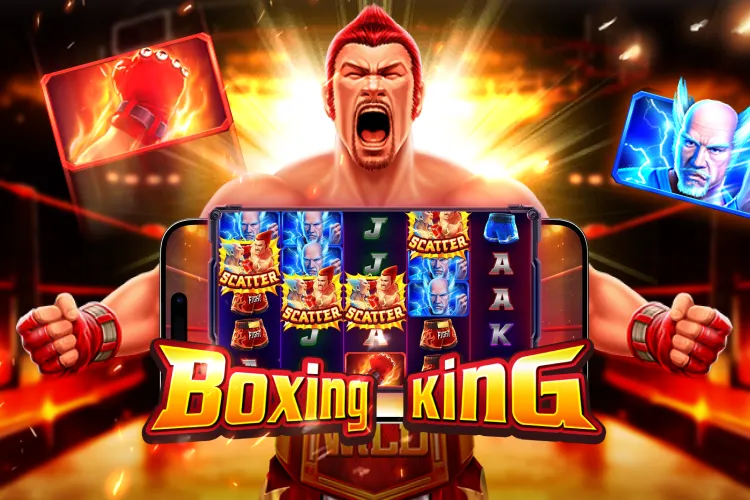
How to Play Boxing King at Casino Plus on Android If You're New to Mobile Gaming?

How to Play Boxing King at Casino Plus on Android If You're New to Mobile Gaming?
To play Boxing King on Android, download the Casino Plus app from Google Play Store, install it, and log in or register. You can also access Casino Plus through Google Chrome if you prefer playing through a mobile browser. To get started with how to play Boxing King, find the game in the JILI tab, select your preferred bet amount, and tap the spin button.
Table of Contents
- Boxing King for New Mobile Players
- Android Essentials Before Playing Boxing King
- Downloading the Casino Plus App from Google Play Store
- Accessing Boxing King Through Google Chrome
- Creating a Casino Plus Account on Android
- Finding Boxing King Inside the Casino Plus Lobby
- Launching and Playing Boxing King on an Android Device
- Key Boxing King Features New Players Should Know
- Casino Plus App vs Google Chrome for Android Users
- Common Android Problems and Solutions
- Responsible Gaming Tips for Mobile Players
- Final Reminders for First-Time Android Users
- Frequently Asked Questions
How Does Boxing King Appeal to New Mobile Players?
Boxing King is beginner-friendly because it combines simple gameplay with easy-to-understand features. New mobile players can quickly learn the mechanics thanks to its clear reel layout, straightforward bonus triggers, and helpful visual animations. Mobile-friendly controls make navigation smooth, while automatic feature activation reduces confusion. The transition from regular spins to Free Spins is also easy to follow.
What Android Users Should Know Before Playing Boxing King
Before opening Boxing King, Android users should understand that the game can generally be accessed through two methods:
- Casino Plus mobile app
- Google Chrome mobile browser
Both options allow access to the same platform and game library. Before starting, make sure your Android device has:
- A stable internet connection
- Updated Android software
- Sufficient storage space if installing the app
- Access to your mobile number or email for registration
These basic preparations can help reduce setup issues during registration and gameplay.
How Do You Download the Casino Plus App from Google Play Store on Android?
For many Android users, the easiest way to access Boxing King is through the Casino Plus mobile app. Downloading the app from Google Play Store is a straightforward process that only takes a few minutes when you follow the correct steps.
◆ Step 1: Open Google Play Store
Launch the Google Play Store application on your Android device. Make sure your device is connected to a stable internet connection before starting the download.
◆ Step 2: Search for Casino Plus
Use the search bar and enter: "Casino Plus". Verify that you are downloading the correct application before proceeding. Checking the app name, logo, and publisher details can help ensure that you select the official version.
◆ Step 3: Install the App
Tap the Install button and wait for the download to complete. The installation process may vary depending on:
- Internet speed
- Device performance
- Available storage
If your device has limited storage space, you may need to free up some memory before the installation can finish successfully.
◆ Step 4: Open the App
Once installation is complete:
- Tap Open
- Allow any required permissions
- Proceed to registration or login
After opening the app, you can create a new account or sign in with your existing Casino Plus credentials to start exploring available games, including Boxing King.
How Can You Access Boxing King Through Google Chrome on Android?
Some players prefer not to install additional apps on their devices. If you would rather play through a web browser, Google Chrome offers a convenient way to access Casino Plus and find Boxing King directly from your Android phone or tablet.
Step 1: Open Google Chrome
Launch the Google Chrome browser from your Android device. Make sure you have a stable internet connection for smoother loading and gameplay.
Step 2: Visit the Official Website
Enter the official Casino Plus website address into the browser's address bar. Always verify that you are visiting the correct website before signing in.
Step 3: Log In or Register
Use your existing account credentials to log in. If you are a new player, complete the registration process by providing the required information and creating your account.
Step 4: Access the Mobile Lobby
After signing in:
- Open the game lobby
- Browse available categories
- Search for Boxing King
The website is optimized for mobile devices and automatically adjusts to different Android screen sizes. This allows players to navigate menus, access games, and enjoy Boxing King without downloading a separate application.
Casino Plus recommendation: While exploring the lobby, you may also notice games from different providers, including Pragmatic Play, PG Soft, Sports Live games, and more!
How Do You Create a Casino Plus Account on Android for the First Time?
Before you can access Boxing King and other games on Casino Plus, you'll need to create an account. The registration process is generally straightforward and can be completed directly from your Android device.
What Information Is Required During Registration?
Typically, new users are asked to provide basic account details, such as:
- Your active mobile number
- Username
- Password
Make sure the information you enter is accurate, as it may be needed later for account verification or recovery.
How Does Account Verification Work?
After registration, some users may be required to verify their account details before gaining full access to platform features. Verification requirements can vary, so follow any instructions provided during the signup process.
What Login Tips Should Beginners Follow?
To avoid common login problems and keep your account secure:
- Save your username in a secure location
- Use a strong but memorable password
- Double-check your login details before submitting
- Avoid sharing your account credentials with others
Following these simple steps can help ensure a smoother gaming experience when accessing Casino Plus on Android.
How Do You Find Boxing King Inside the Casino Plus Lobby on Android?
After signing into your Casino Plus account, the next step is locating Boxing King and learning the basic controls before you start playing. The game is easy to access through the app or mobile browser, and its touch-friendly interface is designed for Android users of all experience levels.
➣ How Can You Search for Boxing King Quickly?
The fastest way to find the game is by using the search function inside the Casino Plus lobby. Tap the search bar and type: "Boxing King". The game should appear in the search results, allowing you to open it directly without browsing through multiple categories.
➣ Can You Find Boxing King Through the JILI Game Section?
Yes. If you prefer browsing, navigate to the JILI game category within the Casino Plus lobby. Scroll through the available titles until you locate Boxing King, then tap the game icon to open it.
How Do You Launch and Play Boxing King on an Android Screen?
Once you find the game:
- Tap the Boxing King icon
- Wait for the game to load completely
- Review or adjust your settings
- Begin gameplay
The Android version is optimized for touch-screen controls, making it easy to play on both smartphones and tablets.
➣ What Are the Main Controls You Need to Know?
Most players will see the following on-screen controls:
- Spin button
- Bet adjustment controls
- Balance display
- Menu and settings options
These controls are positioned for convenient access while playing on different screen sizes.
How Do You Adjust Your Bet and Start the Game?
Before spinning, choose your preferred bet amount using the available controls. When you're ready to play:
- Review your selected bet.
- Tap the spin button.
- Watch the reels spin.
- Wait for the results to appear.
Taking a moment to understand the controls can help new players navigate the game more comfortably and enjoy a smoother mobile gaming experience.
Casino Plus App vs Google Chrome for Android Users
Interface Parameter | Google Chrome Mobile Site Route | Google Play Store / APK App Route |
System Memory Footprint | Low (Runs entirely inside temporary browser sandbox) | Moderate (Requires dedicated permanent storage space) |
Data Usage Efficiency | Higher (Reloads assets, scripts, and graphical components frequently) | Lower (Core textures and audio profiles are cached locally) |
Biometric Sign-In Integration | Manual entry required or reliant on basic Chrome auto-fill | Supports native fingerprint and face ID authentication |
Connection Stability Limits | Susceptible to unexpected tab reloads if system memory runs low | Highly stable; maintains continuous background connection |
Update Management | Server-side updates deploy instantly upon page refresh | Requires automated updates through the Google Play Store |
Convenience | One-Tap Access | Requires Browser Launch |
Both methods allow Android users to access Boxing King successfully.
Common Android Problems and Solutions
⚠ The App Won't Install
Possible causes include:
- Low storage space
- Slow internet connection
- Outdated Android version
⚠ Google Chrome Page Won't Load
Check:
- Mobile data connection
- Wi-Fi connection
- Browser updates
⚠ Login Problems
Common solutions include:
- Resetting passwords
- Checking username accuracy
- Verifying account details
⚠ Can't Find Boxing King?
Try:
- Using the search function
- Refreshing the lobby
- Checking the JILI game section
Responsible Gaming Tips for Mobile Players
Mobile gaming is convenient, but responsible play remains important.
Consider these practices:
📝 Set a spending limit before starting
📝 Take breaks during long sessions
📝 Avoid chasing losses
📝 Play only when comfortable with your budget
📝 Treat gaming as entertainment
Helpful Resources:
Players seeking support may consider:
➥ PAGCOR Responsible Gaming resources
➥ Local support services
➥ Responsible gaming educational materials
What Should New Android Users Remember Before Playing Boxing King at Casino Plus?
Learning how to play Boxing King on Android begins with understanding how to access the platform, create an account, and navigate the Casino Plus lobby and other slots and casino games. Whether you choose the Casino Plus app from the Google Play Store or prefer using Google Chrome, the overall process is straightforward for first-time mobile users.
By familiarizing yourself with the registration process, search tools, mobile controls, and basic game features, you can spend less time figuring out the platform and more time understanding how Boxing King works on an Android device.
FAQ
How do I play Boxing King on Android?
❀ You can download the official Casino Plus app from the Google Play Store or visit the site via Google Chrome. Log in, search for "Boxing King" in the slot lobby, adjust your bet, and tap the spin button.
Can I play Boxing King without downloading an app?
❀ Yes. Android users can play the full game without downloading anything by simply opening Google Chrome, navigating to the official Casino Plus mobile site, and spinning directly from the browser.
Where can I find Boxing King inside Casino Plus?
❀ It is very easy to find. Just tap the search bar in the casino lobby and type "Boxing King," or open the slots section and look under the JILI Games catalog.
Do I need an account before playing?
❀ Yes. Because it features real-money mechanics regulated by PAGCOR, you must complete the quick mobile registration and verification process before you can start playing.
Is the Casino Plus app available for Android?
❀ Yes. Android players have full flexibility and can choose to install the dedicated app or play instantly via their Google Chrome mobile browser.
What controls are used in Boxing King?
❀ The game features simple, thumb-friendly touch controls. Use the "+" and "-" buttons at the bottom of the screen to change your wager, and tap the large circular arrow to spin the reels.
How do Online Casino Payouts work on Casino Plus?
❀ Winnings are calculated instantly by the game server and added to your balance. From there, you can cash out directly to local digital wallets or bank transfers, provided your account is fully verified.
Is Casino Plus a legit platform for online betting?
❀ Yes. Casino Plus is fully licensed and regulated by the Philippine Amusement and Gaming Corporation (PAGCOR), which guarantees tested, random outcomes, secure data encryption, and reliable cash-outs.
Keywords
How to Play Boxing King



